
Overview
The TrueCold Webhook allows you to receive real-time notifications about important events in your system. In this quickstart guide, you will learn how to set up a webhook and receive notifications for new alerts. TrueCold allows you to create different types of webhooks fot different events. By now, the app supports the following webhooks:- Alerts : Triggered when an alert has been generated or updated on some entity linked with a sensor.
Setting Up the Webhook
To set up a Webhook, follow these steps:- Create a Webhook Endpoint: Set up an endpoint on your server to receive webhook events. This endpoint should be able to handle HTTP requests.
- Register the Webhook: Register your webhook endpoint in the TrueCold app. You can do this by clicking on the Add new Webhook located in the Integrations tab from the Account page.
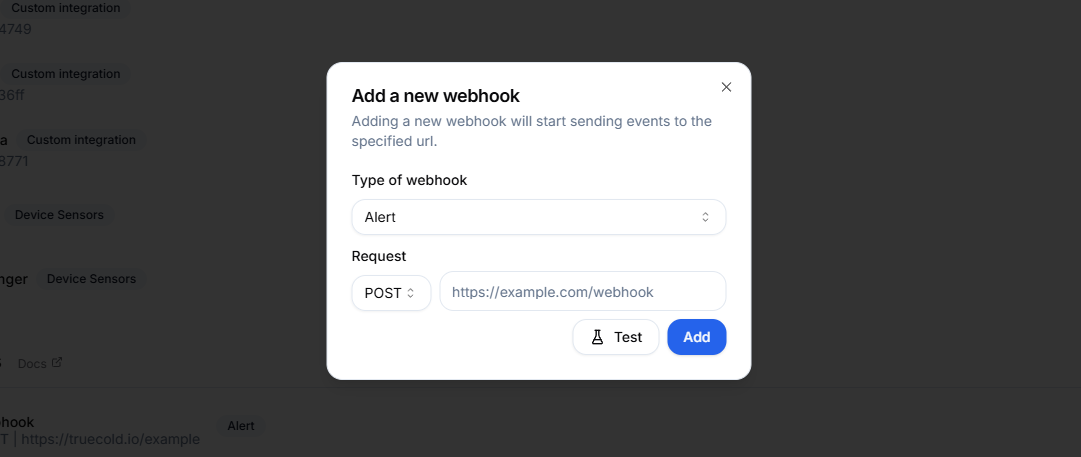
Generating a new webhook on TrueCold in the Account page
- Verify the Webhook: You can test your webhook by clicking on the Test button. This will send a test payload to your endpoint.